
iPhone app · Coming soon
Find a clean restroom on the road.
Potty Brake shows the restroom stops near you, closest first, with distance and drive time. Pick one and your favorite maps app takes you there.
Not released yet. The App Store link will go here once the app is live.

Everything you need, nothing you don’t
Potty Brake does one job: get you to a good restroom stop quickly.
Nearby stops, closest first
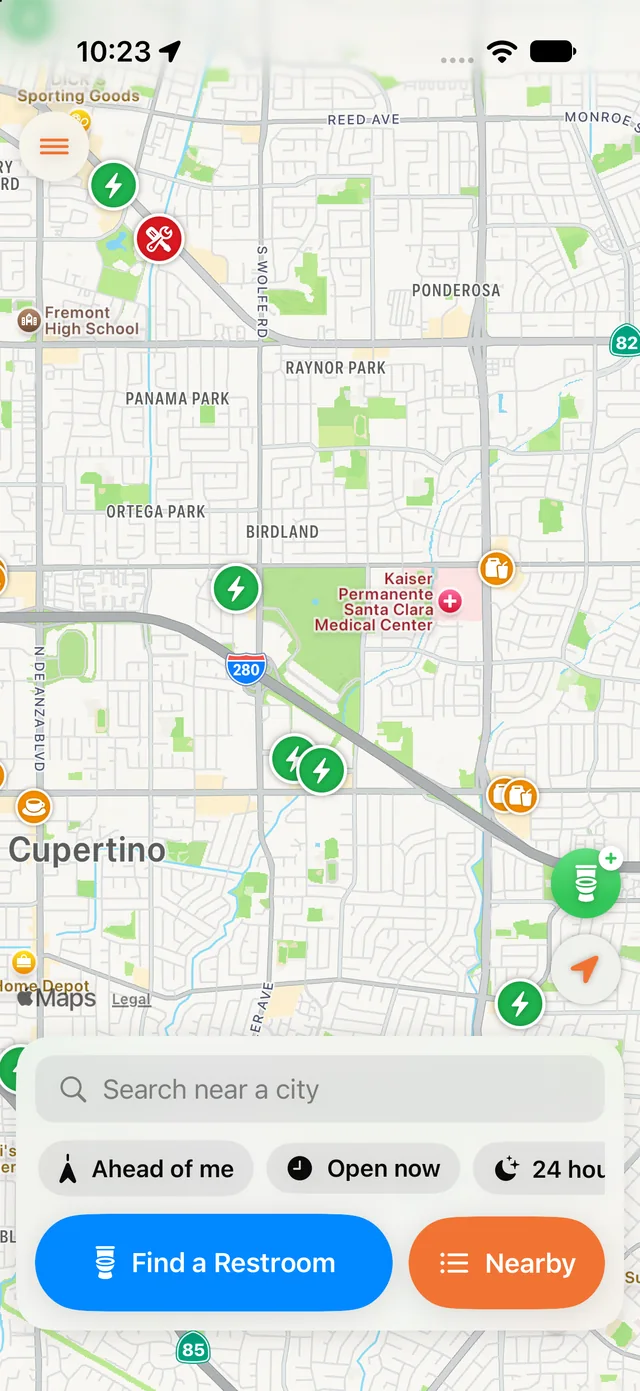
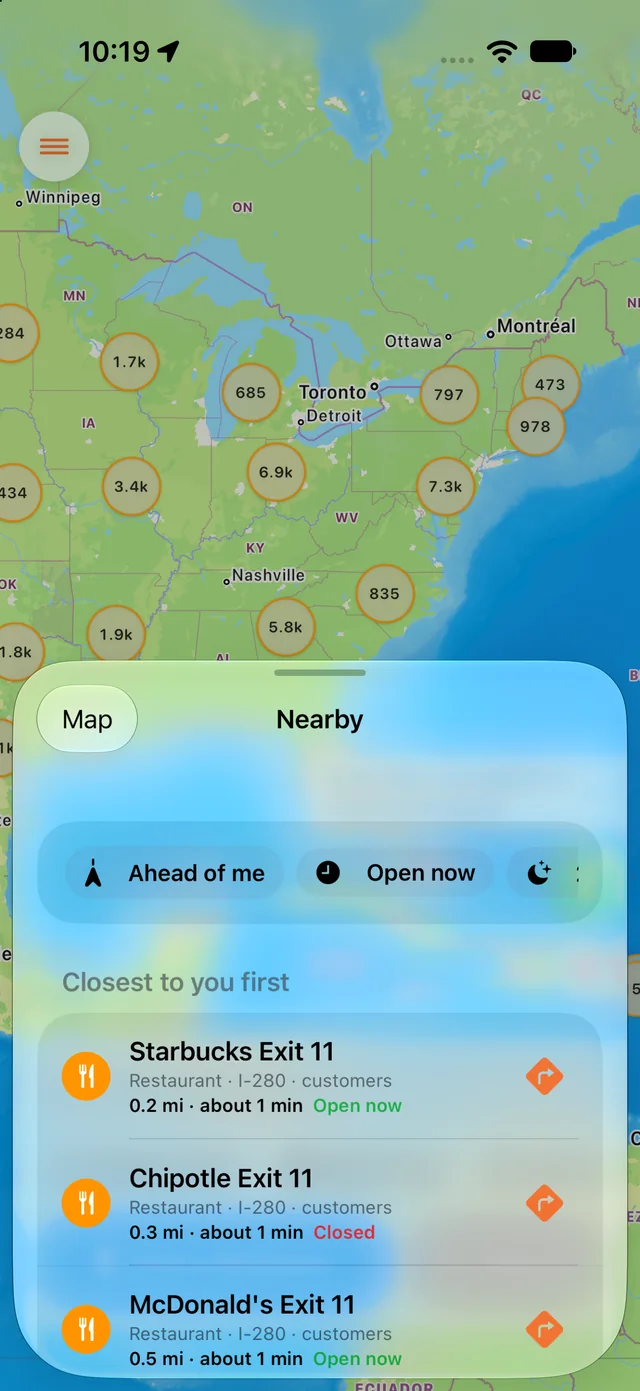
See restroom stops around you on a map or in a simple list, with how far each one is and about how long it takes to get there.
Directions in your maps app
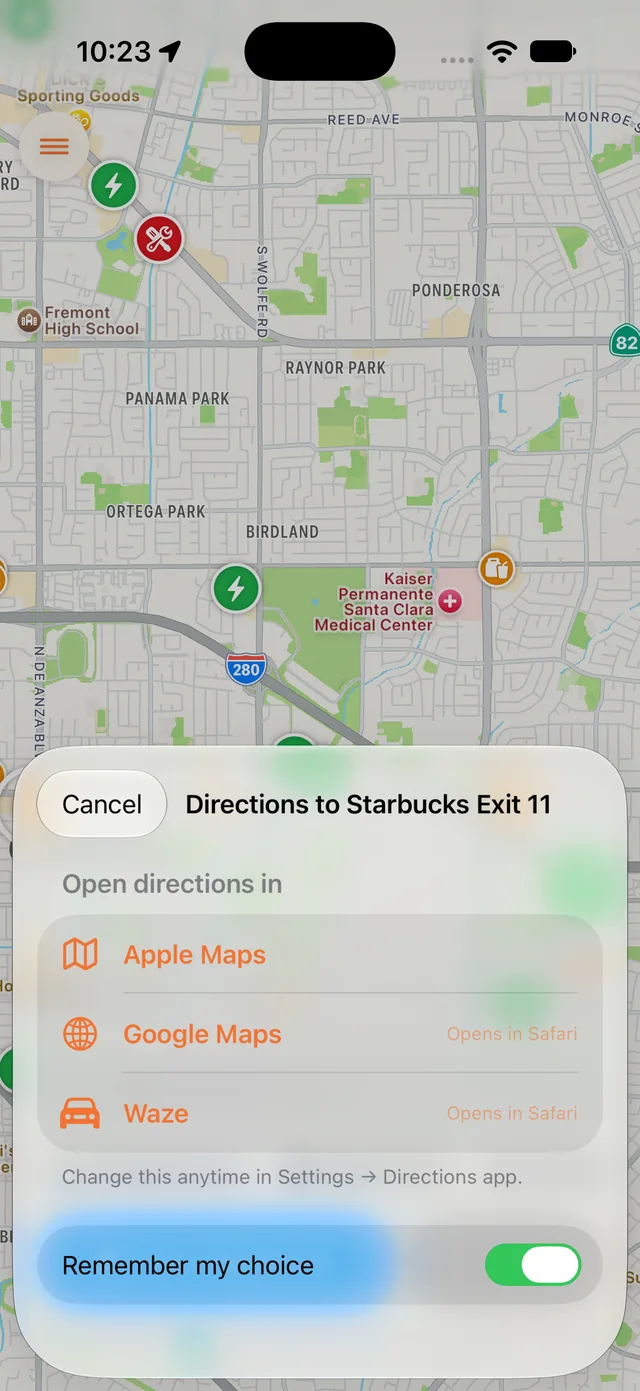
One tap sends the stop to Apple Maps, Google Maps or Waze. Potty Brake remembers your pick, and you can change it in Settings.
“Ahead of me” filter
Only show stops in the direction you’re traveling, so you aren’t sent to one that’s behind you. It works once you’re moving.
Search near a city
Looking ahead? Search a city or place to see its stops, then jump back to your own location when you’re done.
Ratings you can trust
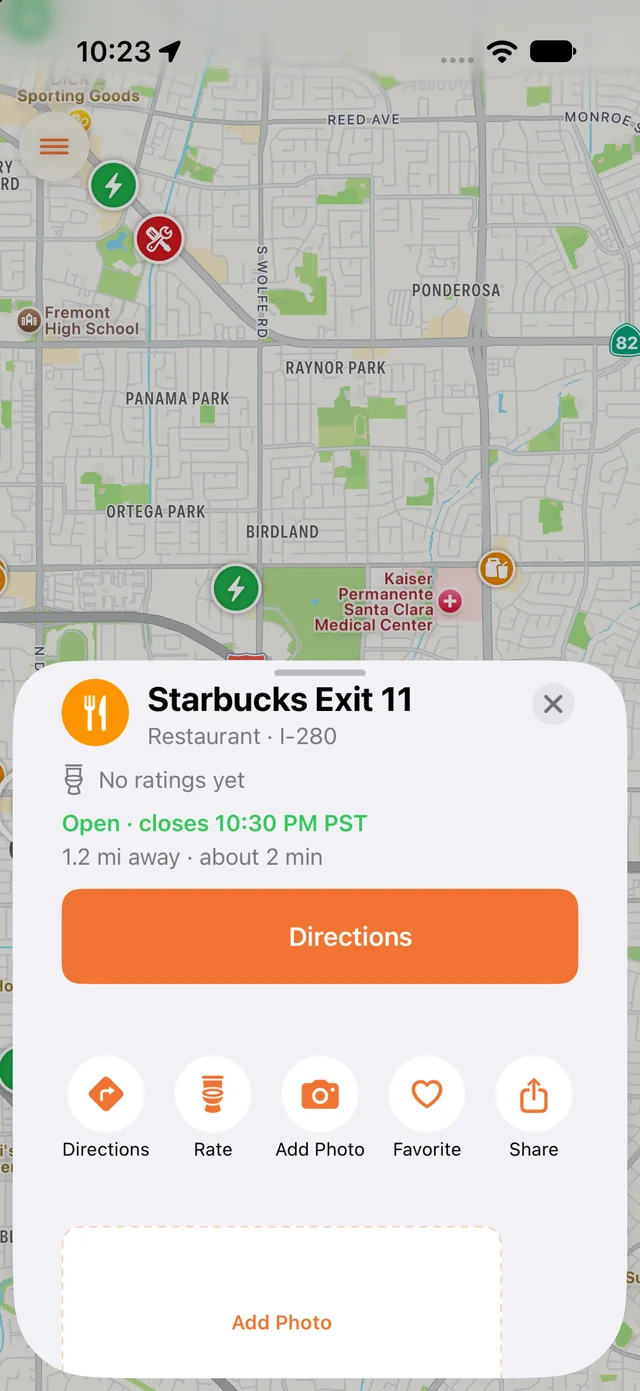
Rate restrooms from 1 to 5 toilets. Scores use recent ratings, and reviews can note what’s stocked, like soap, towels or a changing table.
Photos of the outside
Add a photo of a stop’s entrance or building (never inside a restroom). Photos are reviewed before anyone else sees them.
Suggest a stop
Know a good restroom that’s missing? Drop a pin and suggest it. You can also report a closure or tap “still clean?” to help the next driver.
Meet Cōd E
A friendly robot guide walks you through the app and cheers you on. The mascot and its voice can be switched off in Settings.
How it works
From “I need a restroom” to on your way.
Open the app
Allow location while using the app. Nearby stops appear on the map and in a list, closest first.
Narrow it down
Tap Ahead of me to see only the stops in front of you. Check ratings and photos.
Tap Directions
Choose Apple Maps, Google Maps or Waze. Potty Brake remembers your choice for next time.
A look at the app
Screenshots from the iPhone Simulator, with the location set to Cupertino, CA. Stops shown are sample results.
Questions
Quick answers about Potty Brake.
Is Potty Brake available yet?
Not yet. It’s in development for iPhone and a release date hasn’t been announced. This page will link to the App Store when it’s live.
Which devices does it run on?
iPhone, on iOS 17 or later.
Does Potty Brake give turn-by-turn directions?
No. It finds stops near you and hands the trip off to Apple Maps, Google Maps or Waze, which do the navigating.
Does it track my location in the background?
No. Potty Brake asks for location only while you’re using the app. It never asks for “Always” access.
Do I need an account?
Not to look at nearby stops. Rating a restroom, adding photos, or suggesting a stop needs a sign-in, with Sign in with Apple or an email link. You can delete your account inside the app.
How does “Ahead of me” work?
Using your direction of travel from GPS, it shows stops that are roughly in front of you. If you’re stopped or moving slowly, it shows everything nearby and says why.
Can I look at stops in a different city?
Yes. Use search near a city to recenter the map and list on any place, then tap My location to come back.
What happens when I take a photo?
Photos should show only the outside, entrance or building of a stop, never the inside of a restroom. Every photo is reviewed before it’s shown to others.
How much does it cost?
Potty Brake is planned to be free to use. Pricing details will be confirmed before release.
Where can I get help?
Send us a message on the support page. Pick a topic, describe what happened, and we’ll reply by email.
Support
Questions, bug reports, a stop that’s wrong, or an idea? Send us a message and we’ll reply by email.
Contact support